
Restoration of one lost boy
A badly deteriorated photo for restoration. Much of the work on the hole in the middle I had to do myself using Photoshop. But I used AI to help recreate the woollen knit jersey, gingham shorts, remove some facial noise and put the marble effect on the wall behind. I had to select the areas where the AI effect had to go in each case. This worked well. Then there were the finishing touch-ups. I was not entirely happy with the face, but where do you stop? There was not much to go on.
The Original

Half way Through

Done
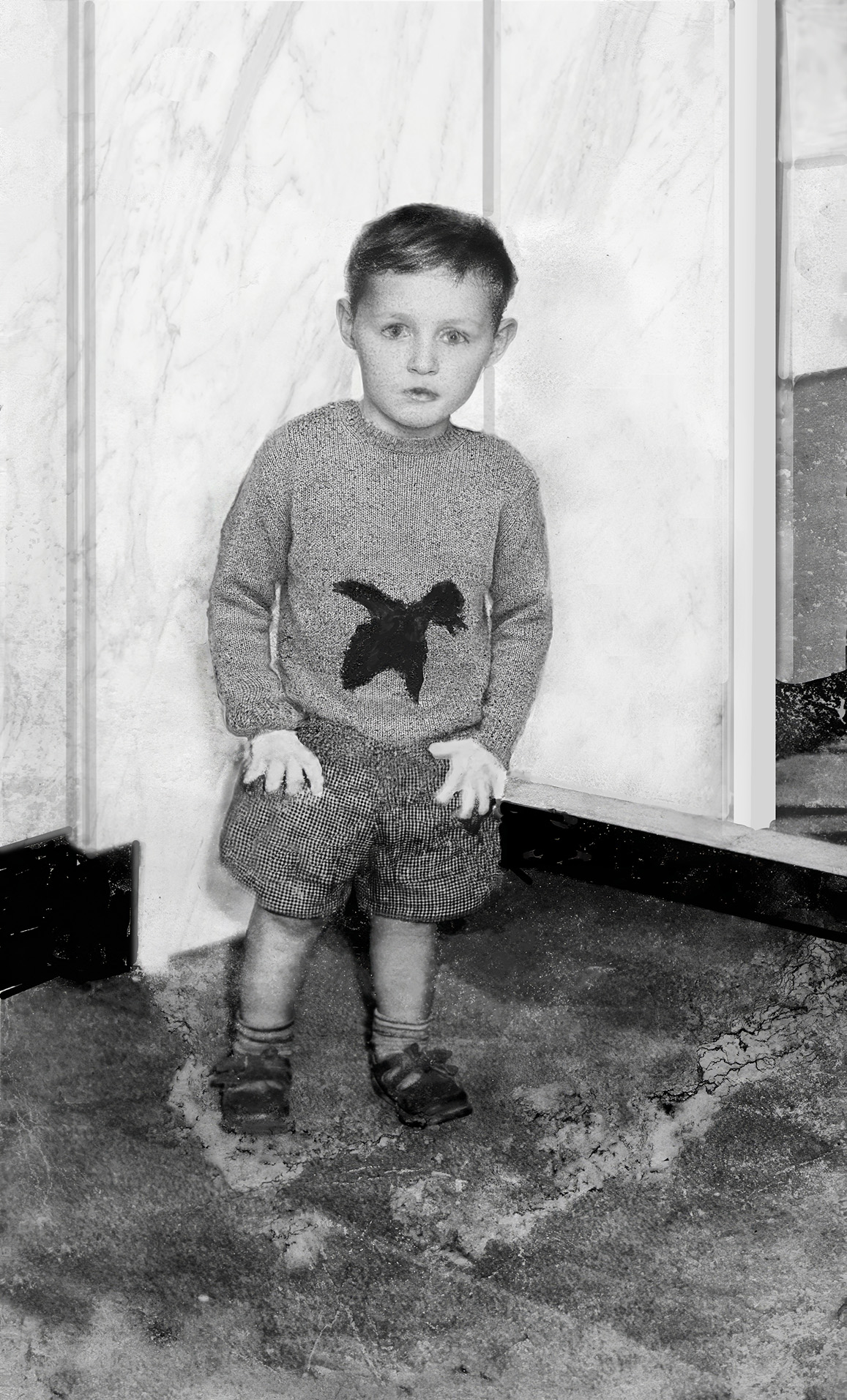
Below - using AI to do it all
AI's - first attempt
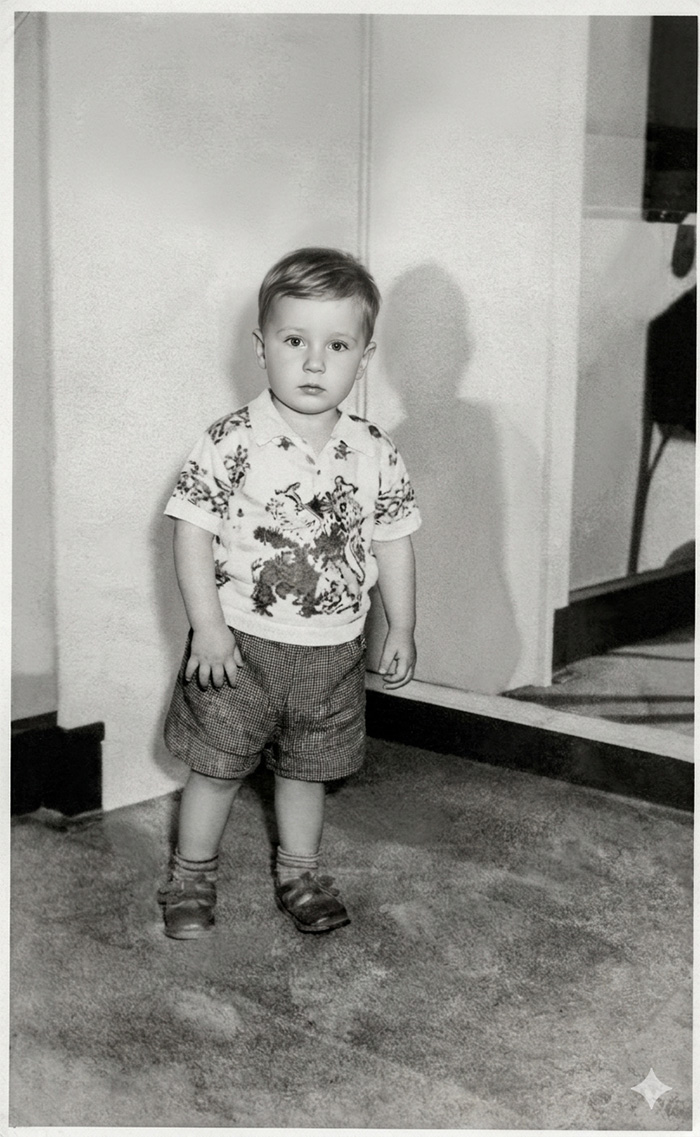
AI's - second attempt
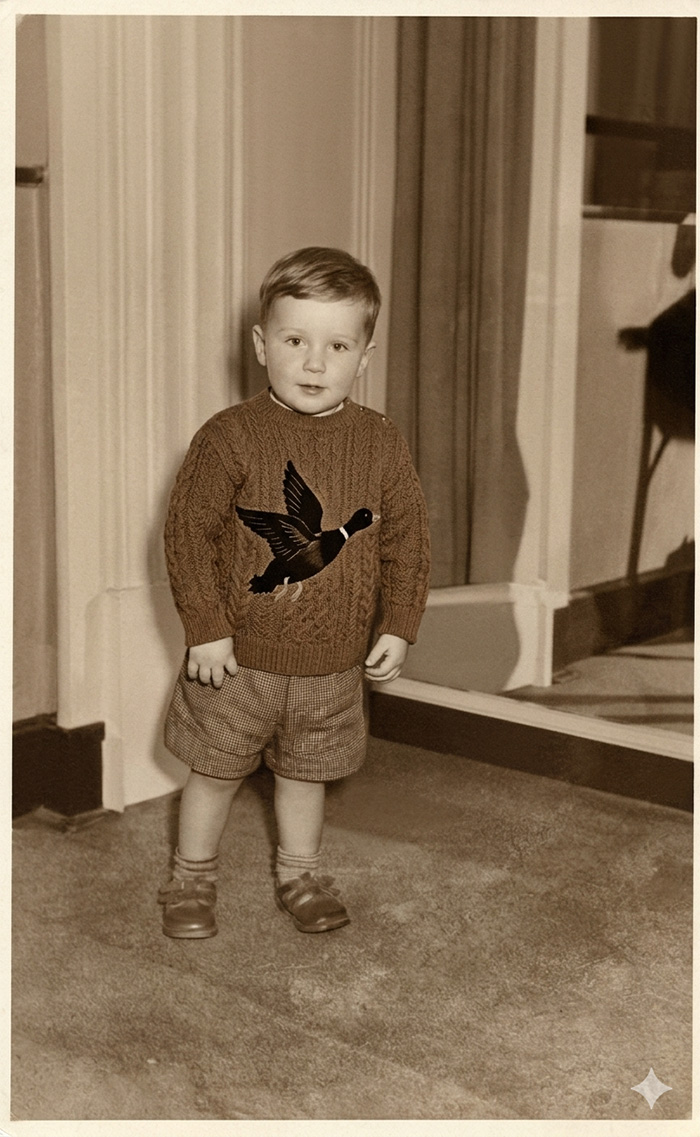
When I simply gave Gemini AI the original photo with text prompts to "repair and restore", it did a good job with the floor, walls and lower half of the boy. But the sweater and facial likeness were not there at all. I changed the text prompt : "Replace the shirt with a woollen sweater with a flying black duck in the center. The duck is flying obliquely to the right". AI not only did that but put (unwanted) curtains behind the boy and a brown tint on the photo. Using text prompts is a skill that often requires multiple attempts and had I persevered I would have reduced the size of the duck, screened it back into the sweater, and turned the sweater into a light woollen knit. But the boy's face would still have been much too far from the original. The thumb of his left hand was meant to be hooked into his trouser pocket and not hanging by his side. In the end it was faster, and more accurate - to do it myself, with minimal assistance from AI - which is often the case.